Intel I226 2.5GbE network cards: is the cheap one good enough? — a UK buyer's guide
A UK buyer's guide to Intel I226 2.5GbE network cards: what 2.5GbE gets you, I226 vs Realtek RTL8125, what to check before you buy, and who it's for.
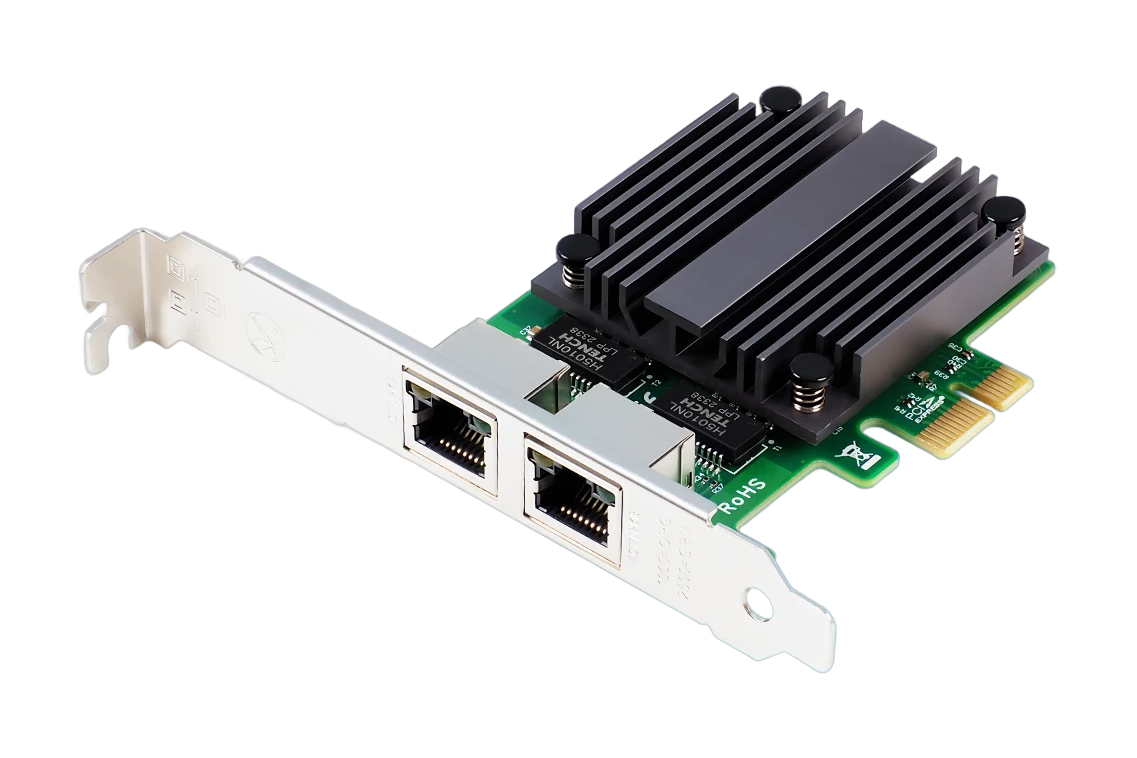
If you’re considering a 2.5Gbe network card, you’ve probably come across the Intel I226. It’s a chip that powers many of the budget-friendly 2.5Gbe cards on the market, and it’s often touted as a reliable, no-fuss option for home and office use. But is it really good enough? And is the cheap I226 card worth it? This guide will walk you through what the I226 is, how it stacks up against the competition, and what to look for when buying one in the UK. I haven’t tested this one yet, but I’ll cover what to look for and what matters most. The worked example throughout is the dual-port FANMI I226-T2, a budget I226 card I’ve price-checked for this guide.
What is the Intel I226 2.5Gbe Network Card?
The Intel I226 is a network controller chip that enables 2.5Gbps (gigabits per second) Ethernet speeds. It’s commonly used in dual-port PCIe network cards and is designed for use in desktop PCs, NAS devices, and even some routers. Compared to 1Gbe, 2.5Gbe offers a significant speed boost, about 2.5 times faster, and sits a step below 10Gbe, which is typically reserved for high-end workstations or data centres.
The I226 chip is known for being power-efficient, especially for a component that’s always on. It supports Wake-on-LAN, IPv4/IPv6 offloading, and Jumbo Frames, which are all useful for more demanding tasks like large file transfers or running a home server. It also uses a PCIe x1 interface, which means it can fit into a wide range of motherboards, even older ones.
The Intel I226 vs. Other Network Card Chips
For 2.5Gbe chips, the I226 is often compared to Realtek’s offerings, like the RTL8125B and RTL8125C. These Realtek chips are also found in budget cards and are generally seen as cheaper alternatives. But where they may lag is in stability, driver support, and long-term reliability, areas where Intel has a long-standing reputation.
Intel is known for its mature drivers and good software support, which is especially important if you’re running Linux or macOS. Realtek, while often sufficient for basic tasks, can sometimes cause issues with dropped connections or compatibility problems. That said, for casual users who just need faster speeds for streaming or light file transfers, a Realtek-based card may be enough, but for anything more serious, the I226 is a safer bet.
What to Expect From the I226 (on Paper)
I haven’t tested this card myself, so the points below are what the spec sheet promises and what reviewers commonly report, not my own measurements. On paper, a 2.5Gbe link gives you up to two and a half times the throughput of a 1Gbe one, so the headline jobs people buy these cards for, such as 4K streaming, large file transfers, and gaming, should sit well within its budget, assuming the rest of your network and switch are also 2.5Gbe.
For home users, that extra headroom should mean quicker backups, smoother local 4K playback, and faster transfers to and from a NAS. In an office setup, it should help with syncing data between machines and keeping a shared drive responsive. Reviewers also report that VoIP calls and remote desktop sessions are well within reach of a 2.5Gbe link.
One caveat worth stressing: the card is only ever as fast as the slowest link in the chain. A 2.5Gbe card won’t do much good if your router or switch tops out at 1Gbe, or if you’re still running Cat5 cabling instead of Cat5e, Cat6 or better.
Compatibility and System Requirements
The I226 is compatible with Windows 10 and 11, macOS, and most Linux distributions, which is a big plus. It requires a PCIe x1 slot, which is standard on most modern motherboards. However, not all motherboards support 2.5Gbe speeds, so you’ll need to check your motherboard’s specs to make sure it can handle it.
Drivers for the I226 are generally easy to install, and in most cases, your OS should detect the card and install the necessary drivers automatically. If not, Intel and third-party manufacturers usually provide drivers on their websites.
Is the Cheap I226 Network Card Worth It?
Right now, the FANMI I226-T2 is available from around £32.78 in the UK (a research estimate, price-checked on 12 June 2026, not the one-time new-buyer promo), and that’s a tempting price for a dual-port 2.5Gbe card. But is it worth it?
Compared to more premium options like the Intel X550 or ASUS XG-C100C, which can cost upwards of £80 to £100, the I226-based cards are a clear value proposition, especially if you’re just looking for faster file transfers or smoother 4K streaming. The key question is whether you need the extra features and performance that more expensive cards offer.
If you’re running a NAS, home server, or gaming rig, the I226 should serve you well. But if you need 10Gbe speeds or advanced QoS features, you may want to look elsewhere.
Buying Advice for the Intel I226 2.5Gbe Network Card
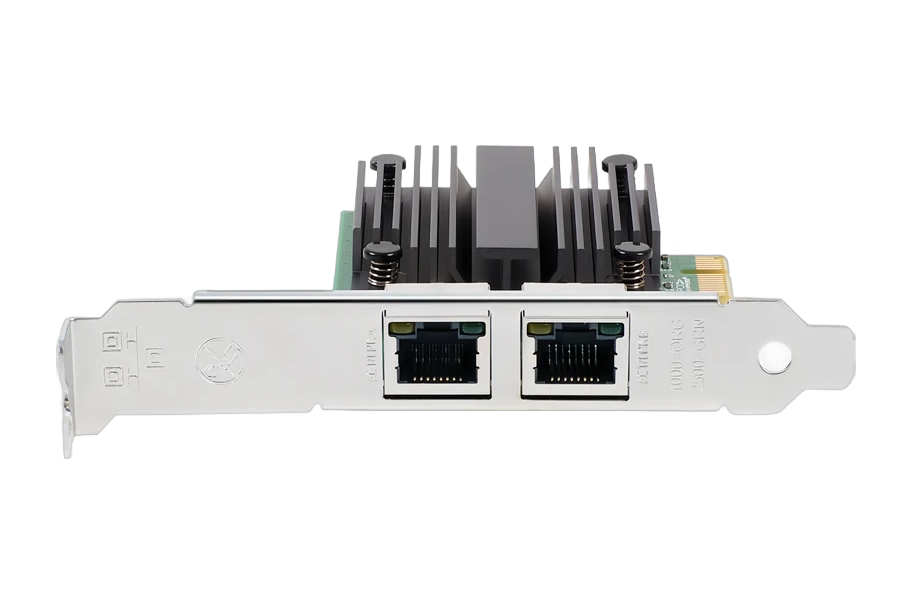
When choosing an I226-based card, look for a few key things:
- Dual-port or single-port? Dual-port cards are great if you need separate network connections for a server or NAS.
- Brand and build quality. The I226-V is an Intel controller used across a lot of different cards, so the chip is the same while the board around it isn’t — pay attention to the heatsink, the bracket and the port shielding. Worth double-checking the spec sheet, too: some budget cards advertised as “2.5G” actually use a Realtek controller rather than the Intel one.
- Driver support. Check if the manufacturer provides updated drivers for your OS.
- Price. In the UK, I226 cards turn up on AliExpress, Amazon and eBay — compare the landed price including delivery, and remember an intro/new-buyer price isn’t the price you’ll pay again.
I haven’t tested the I226 yet, so I can’t give a full verdict, but based on what’s known so far, it looks like a solid choice for most users.
Verdict: Is the Intel I226 2.5Gbe Network Card Good Enough?
If you’re asking whether the I226 is good enough, the answer is yes, for most users. It’s a reliable, power-efficient chip that offers real-world performance gains over 1Gbe. The cheap I226 cards are especially appealing if you’re on a budget but still want faster speeds for streaming, file transfers, or light gaming.
That said, if you’re running a high-performance setup or need 10Gbe speeds, you may want to spend a bit more. For the average user, though, the I226 strikes a good balance between price and performance. If the dual-port FANMI I226-T2 fits your needs, it’s the budget card I used as the worked example here.
Check price on AliExpressFrequently asked
Is the Intel I226 2.5Gbe network card compatible with Windows 11?
Yes, the I226 is compatible with Windows 11.
How much does a good I226 network card cost in the UK?
Around £30–£40 for budget options like the FANMI I226-T2.
Does the I226 support 2.5Gbe speeds on all motherboards?
No. You need a motherboard that supports 2.5Gbe via its PCIe slot and BIOS.
Is the I226 better than Realtek for gaming?
Generally yes. Intel’s drivers are more stable, which is important for consistent performance in online gaming.
Can I use the I226 in a home office setup?
Absolutely. It’s well-suited for home offices, especially if you're working with large files or need faster backups.
Do I need a 2.5Gbe network card for streaming 4K video?
Not strictly, but it can help reduce buffering and improve quality, especially if you're streaming locally.
Are there any UK-specific issues with buying I226 network cards?
No major issues. Just make sure you're buying from a UK retailer with good delivery and return policies.
Get the honest stuff in your inbox
New reviews and price-checked UK deals on gear I’ve actually tested. About one email a week. No spam, unsubscribe anytime.